

Bookings, capacity and kiln
in one panel.
For pottery, painting, coffee and woodwork studios: a public course page and booking form, backed by a panel that handles deposits, waitlists, attendance and piece tracking.
The demo interface is in Turkish; English is available in the delivered system.
Running classes is fun; running the admin is not
When we talk to studio owners, the same issues come up every time:
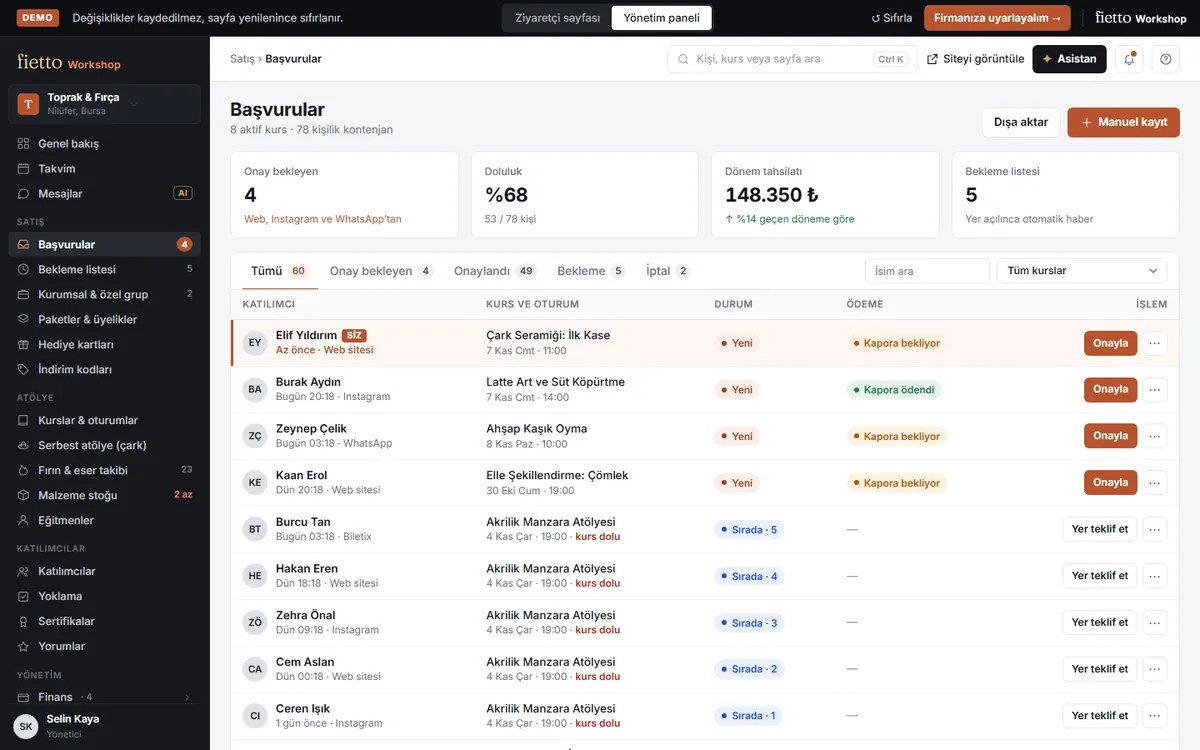
They book, you approve in one click
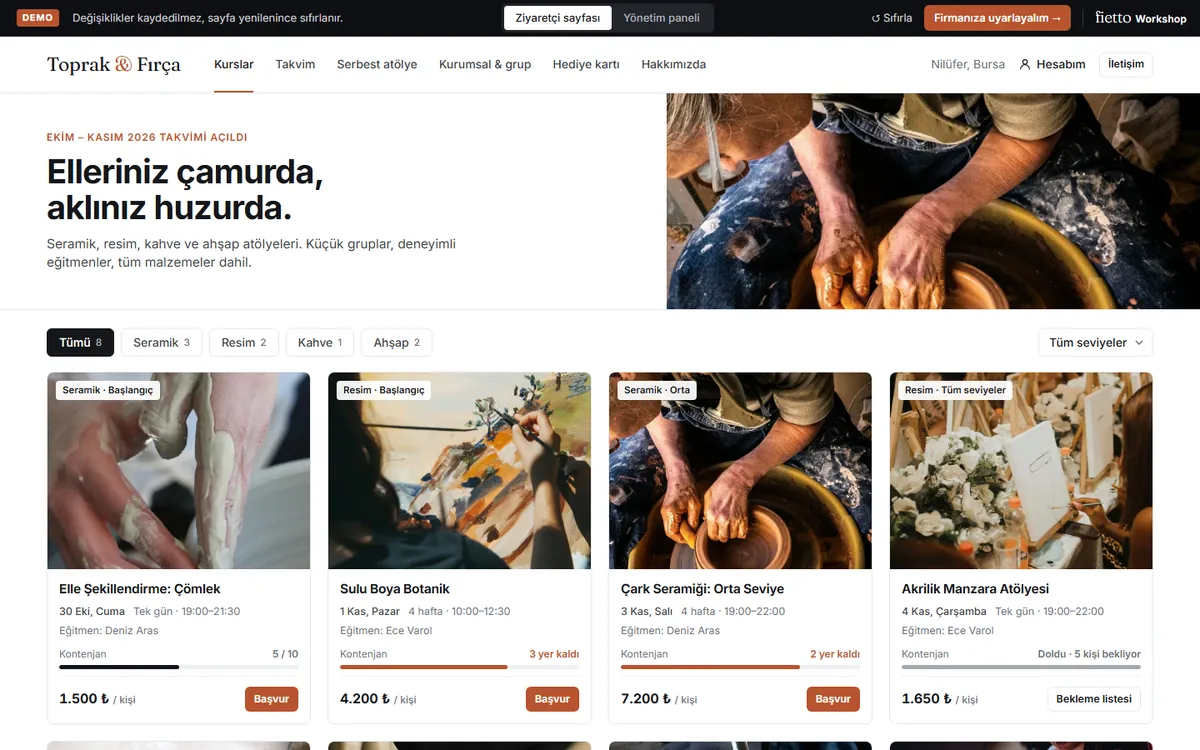
The moment a booking lands, capacity updates; when a class is full the form turns into a waitlist. Try it yourself in the demo.
-
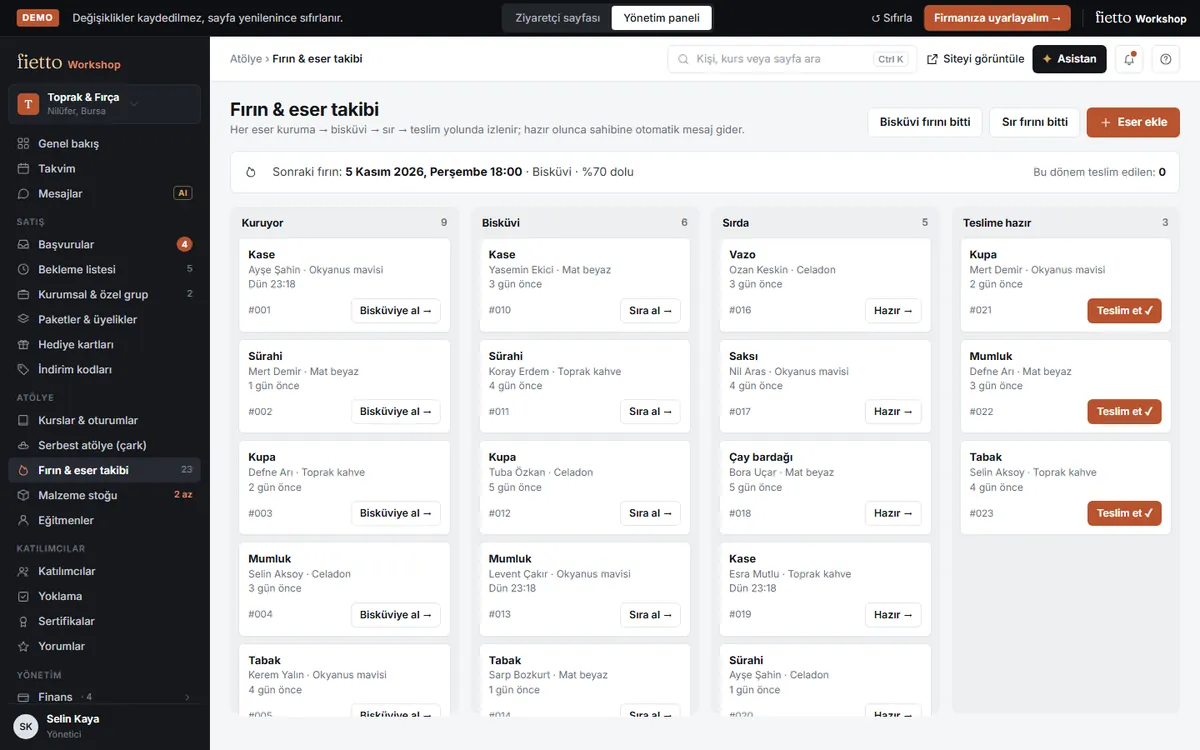
Public course catalog, calendar and booking formApprovals, deposits and waitlistKiln and piece tracking (drying → bisque → glaze → pickup)Open studio: hourly wheel and bench bookingPacks, memberships, gift cards and discount codesCorporate and private group quotesMobile attendance, certificates and Google review requestsWhatsApp reminders, material stock and reports
From demo to your own system in four steps
We learn how you run
In a 15-minute call we go through your classes, payment flow and channels.
We build on the demo
The demo is the starting point: we remove what you do not need and add what you do.
On your own domain
We launch it with your colours, logo and domain, and connect payments and WhatsApp.
Maintenance
After launch, a monthly maintenance contract keeps it updated and growing with you.
Common questions
Is anything I enter in the demo saved?
No. The demo runs entirely in your browser’s memory; nothing is sent to a server and everything resets on reload. Forms, payments and messages are simulated.
Is it an off-the-shelf subscription or built for us?
Fietto Workshop is adapted to your studio. You pick the modules you need from the demo and we shape them around how you work.
How much does it cost?
It depends on the modules, integrations and languages you need. We give a range in a 15-minute call and a written quote after.
Who owns the code and the data?
Your data is yours. On request we sign an NDA, and we hand over the source code and documentation at the end of the project.
Is it only for pottery studios?
No. It fits painting, coffee, woodwork, cooking, jewellery and photography studios, art centres and any business that runs classes. Modules like kiln tracking are only added when needed.
Book a class, then open the panel and approve it
The demo takes two minutes and saves nothing. If you like it, let’s talk for 15 minutes about fitting it to your studio.